
This document explains the step-by-step process to configure onsite notifications.
Introduction
Onsite notifications in Trueloyal enable members to engage directly with the loyalty program from your website. These notifications target members in real-time, encouraging interaction without disrupting their browsing experience. By maintaining continuous communication, onsite notifications help increase program participation, enhance user engagement, and strengthen overall member satisfaction.
You can configure onsite notifications by navigating to Notifications>> Onsite Notifications in your Trueloyal admin panel.
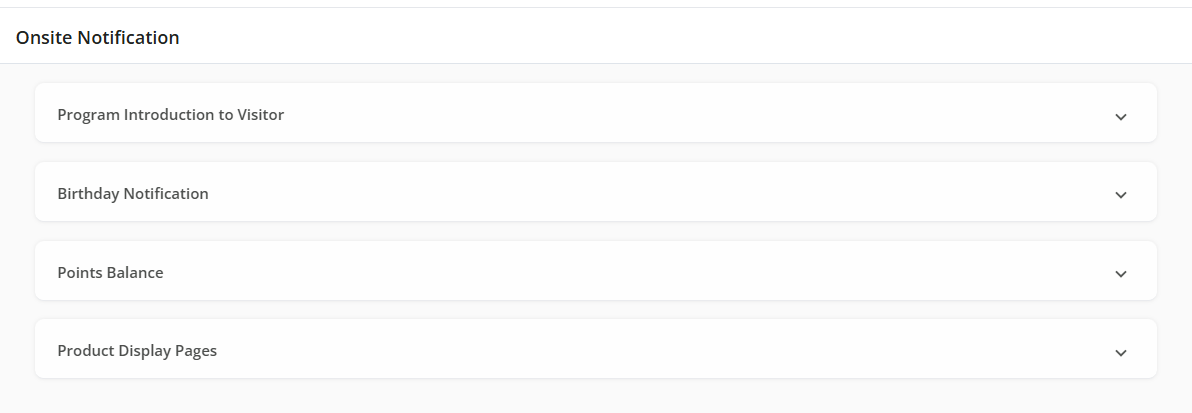
Types of Onsite Notifications
The On-site Notifications list includes:
Program Introduction to Visitor
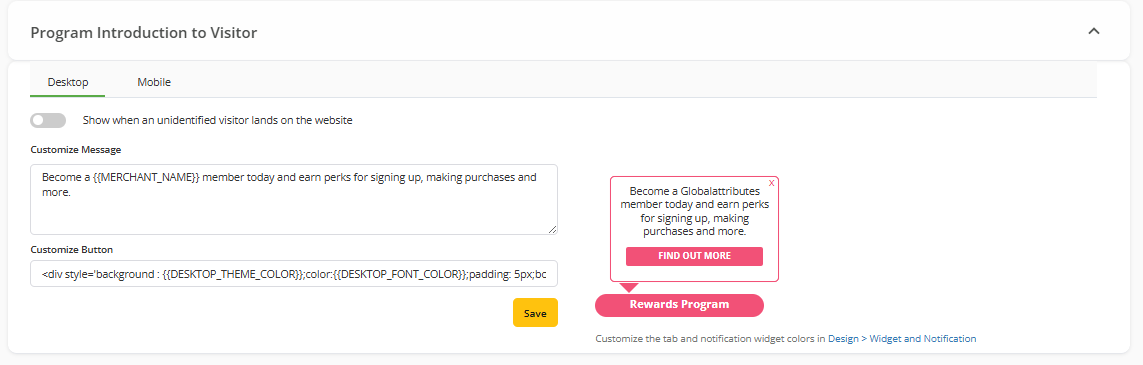
Introduce your loyalty program to new visitors and encourage them to participate. When a new customer lands on your site, they will see a notification with a brief overview of the program and a link for more details. The message displayed can be customized through the Trueloyal admin console.
Birthday Notification
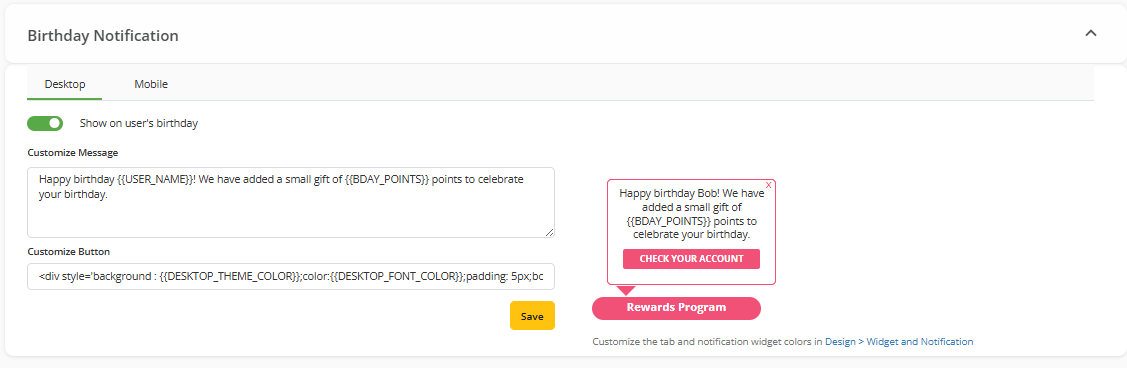
If you use Trueloyal's built-in Birthday Bonus activity, customers earn points on their birthdays. An email is sent to notify them of their bonus, encouraging them to visit your website. The onsite birthday notification reinforces this message when they visit, driving higher engagement.
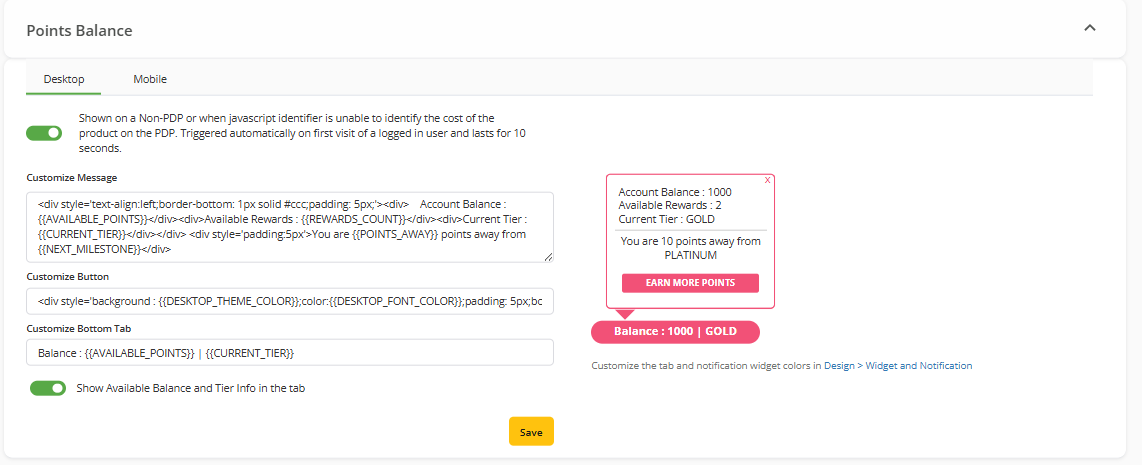
Once the email notifications are configured, the next step is to promote the rewards program. For detailed instructions on it, see this document – Promoting Rewards Program.
To know about language customization, refer to this document.
Comments
Please sign in to leave a comment.